The EPFO Portal is an official online platform launched by the Employees’ Provident Fund Organisation (EPFO) to provide easy access to provident fund services for employees and employers. Through this portal, users can check their PF balance, download passbooks, submit withdrawal claims, and update KYC details without visiting any office.
It is linked with the Universal Account Number (UAN), which helps in managing multiple PF accounts under one ID. The portal ensures transparency, faster processing, and secure access to financial information. With its user-friendly interface, the EPFO Portal has made PF management simple, convenient, and accessible anytime, helping millions of users handle their savings efficiently in a digital way.
What is EPFO Login Portal?
The EPFO Login Portal is an official online system where employees, employers, and pensioners can log in using their credentials to access PF-related services. It is linked with the Universal Account Number (UAN), which acts as a unique ID for every employee.
This portal allows users to:
- Check PF balance instantly
- Download EPF passbook
- Submit claims online
- Track claim status
- Update KYC details
- Transfer PF account
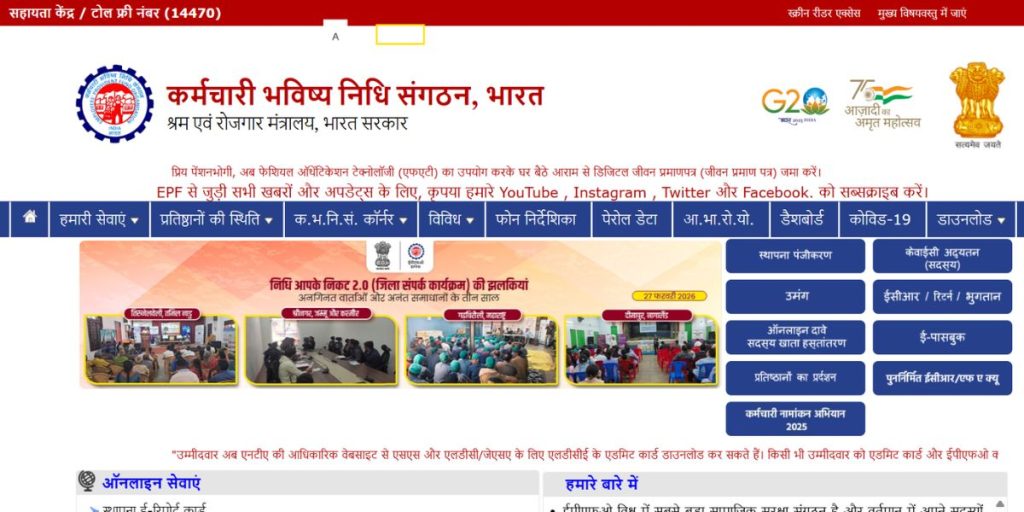
UAN Login Process on EPFO Portal?
To access EPFO services, users must log in using their UAN and password. Here’s the step-by-step process:
Steps for UAN Login
- Visit the official EPFO website
- Click on “For Employees” section
- Select Member UAN/Online Services
- Enter your UAN number
- Enter your password
- Fill the captcha code
- Click on Login
Once logged in, you can access all services like PF balance, passbook, and claim options.
How to Activate UAN (First-Time Login)?
If you are a new user, you must activate your UAN before logging in.
Steps to Activate UAN
- Go to the EPFO official portal
- Click on Activate UAN
- Enter details such as:
- UAN number
- Aadhaar number
- Name and DOB
- Mobile number
- Enter OTP received on your mobile
- Create a password
- Submit the form
After activation, you can log in anytime using your credentials.
EPFO Employer Login Process
Apart from employees, employers also have access to the EPFO portal for managing employee contributions and records.
Steps for Employer Login
- Visit the EPFO official website
- Click on “For Employers”
- Select Employer Login
- Enter your Username and Password
- Enter captcha code
- Click on Sign In
Through the employer login, companies can:
- Upload employee PF contributions
- Approve claims
- Manage employee records
- Generate challans
How to Check PF Balance Online?
Checking PF balance is one of the most important features of the EPFO portal.
Steps to Check PF Balance
- Login to EPFO portal using UAN
- Click on View Passbook
- Select your PF account
- Check your balance and transaction details
Other Ways to Check PF Balance
- SMS Service: Send SMS from registered mobile
- Missed Call: Give a missed call to EPFO number
- UMANG App: Download and login
These methods provide quick access to your PF balance without logging in.
EPFO Passbook Download (2026 Guide)
The EPFO passbook shows monthly contributions made by both employee and employer.
Steps to Download Passbook
- Visit EPFO passbook portal
- Login using UAN and password
- Select Member ID
- Click on Download Passbook
The passbook helps in tracking savings, interest earned, and contribution history.
How to File EPF Claim Online?
The EPFO portal allows users to file claims for withdrawal, pension, or transfer.
Types of Claims
- Form 19: Final PF settlement
- Form 31: Partial withdrawal
- Form 10C: Pension withdrawal
Steps to File Claim
- Login to EPFO portal
- Go to Online Services
- Click on Claim (Form-31, 19, 10C)
- Verify bank details
- Submit claim request
The claim is processed within a few days and credited to your bank account.
PF Account Transfer Process
When switching jobs, transferring PF is essential.
Steps to Transfer PF
- Login to EPFO portal
- Click on One Member One EPF Account
- Enter previous employer details
- Submit transfer request
This ensures your PF Login & savings remain continuous.
Benefits of EPFO Member Login Portal
The EPFO portal offers several advantages:
- Easy Access – Users can manage PF accounts anytime from anywhere.
- Time-Saving – No need to visit EPFO offices physically.
- Transparency – All transactions and contributions are clearly visible.
- Faster Claims – Online claims are processed quickly compared to offline methods.
- Secure System – The portal uses advanced encryption for data safety.
Common Issues in EPFO Login & Solutions
Users may face some problems while using the portal. Here are common issues and fixes:
- Forgot Password – Click on Forgot Password / Reset using OTP
- UAN Not Activated – Activate UAN before login
- KYC Not Verified – Update Aadhaar, PAN, and bank details
- Login Error – Check internet connection / Clear browser cache
Important Tips for EPFO Users in 2026
- Always keep your UAN confidential
- Link Aadhaar with EPF account
- Update KYC details regularly
- Check passbook frequently
- Use only official EPFO website
FAQ‘S EPFO Portal
What is the EPFO Portal?
The EPFO Portal is an online platform where employees and employers can manage PF accounts, check balance, and access services.
How can I login to EPFO portal?
You can login using your UAN number and password on the official EPFO website under Member Login.
How do I check my PF balance?
You can check your PF balance through the EPFO portal, UMANG app, SMS, or missed call service.
Can I withdraw PF online?
Yes, you can submit PF withdrawal claims online through the EPFO portal using your UAN login.
Is UAN mandatory for EPFO services?
Yes, UAN is required to access most EPFO online services like login, balance check, and claim submission.